Modern 5-Step Vertical Infographics
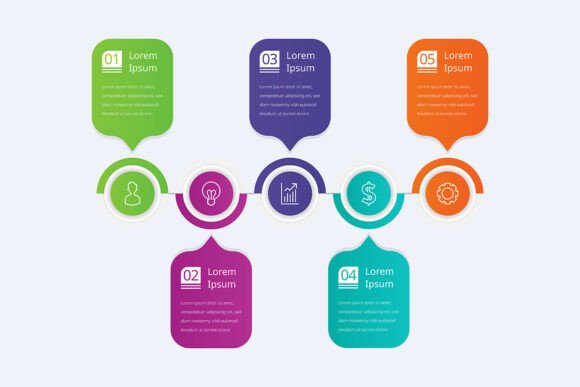
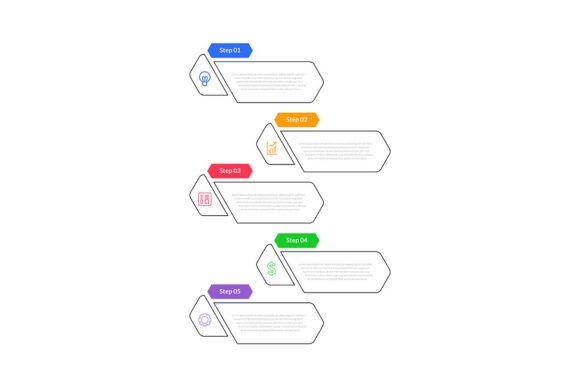
Vertical infographics are among the most shared, scrolled, and saved visual assets online—especially when they’re clean, scannable, and built around a clear progression. The Modern 5-Step Vertical Infographic template answers that need with purpose: five logical stages, stacked vertically for seamless digital reading (think social feeds, email newsletters, landing pages, or presentation handouts). It’s not just about aesthetics—it’s about guiding attention, reinforcing sequence, and making complex ideas feel intuitive.
What makes this template stand out isn’t just its layout—it’s how thoughtfully it balances flexibility with structure. You get a fully editable design, high-resolution output options (EPS and JPEG), and RGB color mode—so what you see on screen matches what prints or displays across devices. No hidden layers, no locked elements, no guesswork about font substitution. Just clarity, control, and consistency.
Common Missteps—and Why They Slow You Down
Many people jump into using vertical infographic templates without checking a few quiet but critical details first. These oversights rarely break the file—but they do cost time, compromise quality, or limit where and how well the graphic performs.
Mistake #1: Assuming “Editable” Means “No Setup Required”
“Fully editable” is true—but only if your software supports the file format and fonts used. EPS files require vector editors like Adobe Illustrator or Affinity Designer; JPEGs are flat and best for final use, not editing. Some users open the EPS in Photoshop expecting layers, then spend 20 minutes trying to ungroup non-existent groups. Others install free font alternatives that subtly distort spacing or hierarchy.
Better approach: Before editing, open the included documentation (or preview thumbnails) to confirm which fonts are embedded or recommended. Install those exact fonts—or substitute with close, system-safe alternatives like Inter, Roboto, or Montserrat, adjusting tracking and line height as needed. Test one section first—not the whole graphic.
Mistake #2: Overlooking Color Mode Mismatches
This template ships in RGB—ideal for screens, web, and most digital publishing. But if you’re planning to print posters or brochures later, converting to CMYK after editing can shift colors unpredictably (especially bright blues and greens). Worse, some users assume “high-res JPEG” means “print-ready,” then discover pixelation at 12×18 inches.
Better approach: Keep your workflow consistent. Use the EPS for any resizing or re-coloring—it stays crisp at any scale. Save JPEG exports *only* for digital use (social media, websites, email), and always at 150–300 PPI depending on context. If print is in your plan, convert early—and soft-proof against your printer’s profile before finalizing.
Mistake #3: Treating the Five Steps as Fixed Content—Not a Framework
The template gives you five labeled sections, but some users fill them with dense paragraphs or unrelated icons, losing the rhythm that makes vertical infographics effective. Others force unrelated concepts into the “5-step” shape—even when their process has three phases or seven micro-actions—just because the template says “5.”
Better approach: Let the structure serve your message—not the other way around. Merge two lightweight steps if your idea flows better that way. Add subtle visual cues (arrows, numbered badges, or progressive shading) to reinforce sequence without relying solely on text. Use icons intentionally: each should support meaning, not decorate. Try sketching your flow on paper first—then map it cleanly onto the template’s grid.
What to Verify Before You Edit or Share
A few quick checks take under two minutes—and prevent avoidable frustration later:
- Font licensing: The template uses open-source or commercially licensed fonts—but verify usage rights if you’ll distribute the final graphic externally (e.g., client deliverables or course materials).
- Image resolution in JPEG exports: Don’t rely on “high-res” labels alone. Open your exported JPEG in Preview or Windows Photos and zoom to 200%. Look for soft edges or stair-stepped lines—signs it was upscaled from a smaller base.
- Contrast and readability: Test your color choices against WCAG AA standards. Light gray text on white may look sleek—but fails accessibility checks and strains readers on mobile. Use browser extensions like axe or Stark to simulate contrast quickly.
- File naming and versioning: Rename your working file immediately (e.g., “onboarding-flow_v2.ai”) rather than saving over the original. That preserves the clean template for future projects—and avoids accidental overwrites.
Real-World Use Cases That Work Well
This isn’t a one-size-fits-all solution—but it shines where clarity, sequence, and shareability matter:
- Educators use it to map learning milestones (“From First Draft → Final Revision”) with embedded reflection prompts—each step gets its own visual anchor and space for student notes.
- Freelancers turn service packages into transparent workflows: “Discovery → Strategy → Design → Feedback → Launch”—with realistic time estimates and client touchpoints noted per stage.
- Small business owners simplify compliance or onboarding: “Hire → Paperwork → Training → First Shift → 30-Day Review.” Clear, calm, and human-centered—not bureaucratic.
- Bloggers and marketers repurpose top-performing listicles (“5 Ways to Improve Email Open Rates”) into scroll-stopping visuals—adding data highlights, mini-icons, and strategic whitespace instead of walls of text.
Notice what these examples have in common: they respect the reader’s time, honor the medium (vertical = mobile-first), and treat the “5-step” format as scaffolding—not a cage.
A Final Note on Quality vs. Speed
It’s tempting to rush through editing—especially when deadlines loom. But small, intentional choices compound quickly: choosing legible type size over trendy thin fonts, leaving breathing room between steps instead of cramming, testing how the graphic reads on a 6-inch phone screen before exporting. These aren’t “extra” steps—they’re part of delivering something that works, not just something that exists.
The Modern 5-Step Vertical Infographic template gives you the foundation. What you build on it—and how carefully you adapt it to your audience, platform, and goal—is what determines whether it informs, persuades, or simply fades into the feed.